Reading Tutor - Interactive Learning Platform
Objective
To create an accessible, engaging reading practice platform that helps young learners improve their reading skills through interactive stories, speech recognition exercises, and educational games. The application needed to be intuitive for children while providing customizable settings for parents and educators.
Background
This project began as a personal initiative to support my own children’s reading education. Traditional reading practice tools often lack interactivity and fail to provide real-time feedback, and I wanted to create something that would be both engaging and effective for young learners. Using AI-assisted development with Cursor, I was able to rapidly prototype and iterate on this application, combining modern web technologies with AI-generated content to create a comprehensive learning experience.
Solution
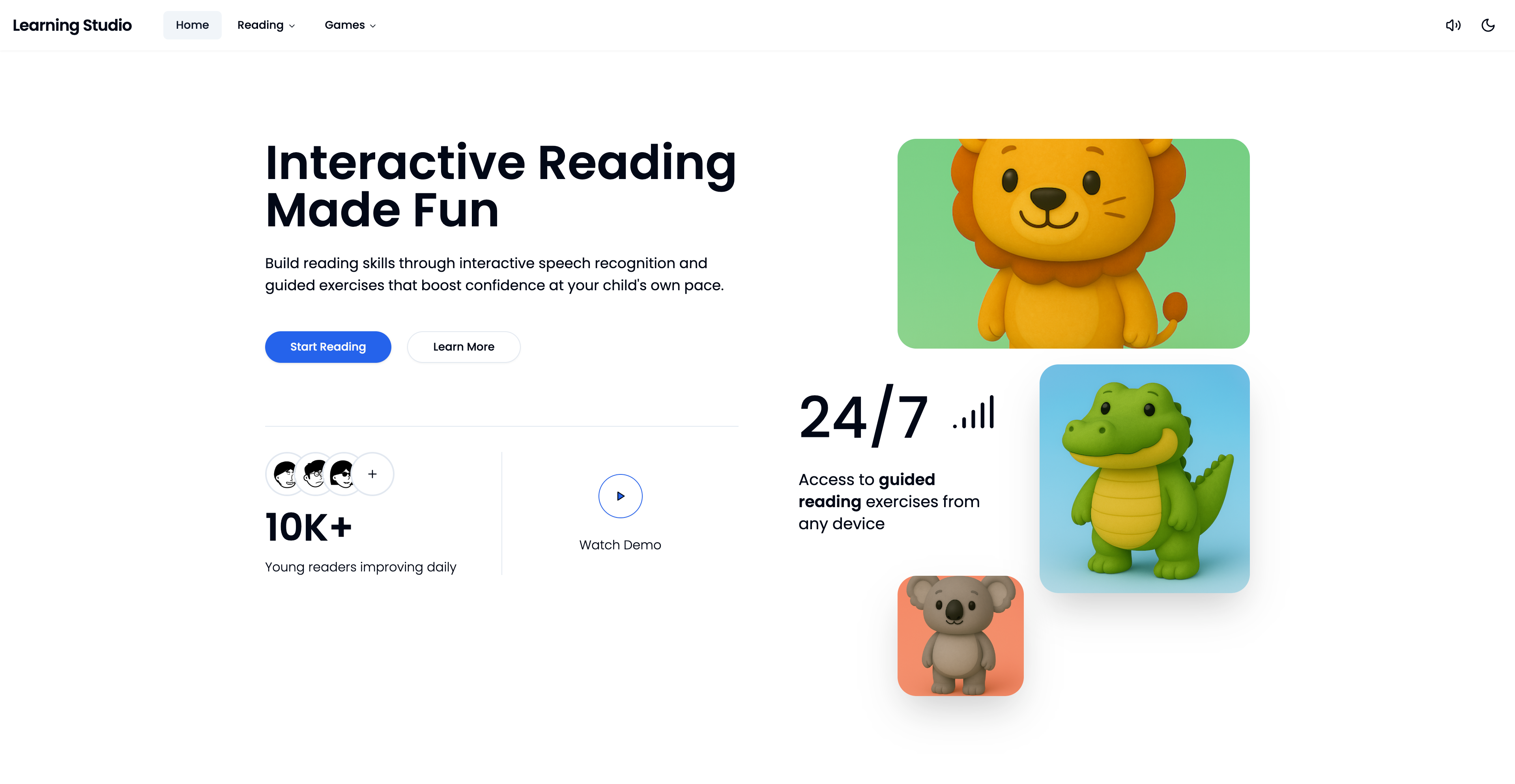
Reading Tutor is a progressive web application that offers multiple learning modes:
Story Mode - Listen and follow along with AI-generated stories featuring synchronized word-by-word highlighting, or practice reading aloud with real-time speech recognition feedback.
Interactive Games - Three educational games including:
- Flip Cards: Memory matching game with letters, numbers, and shapes
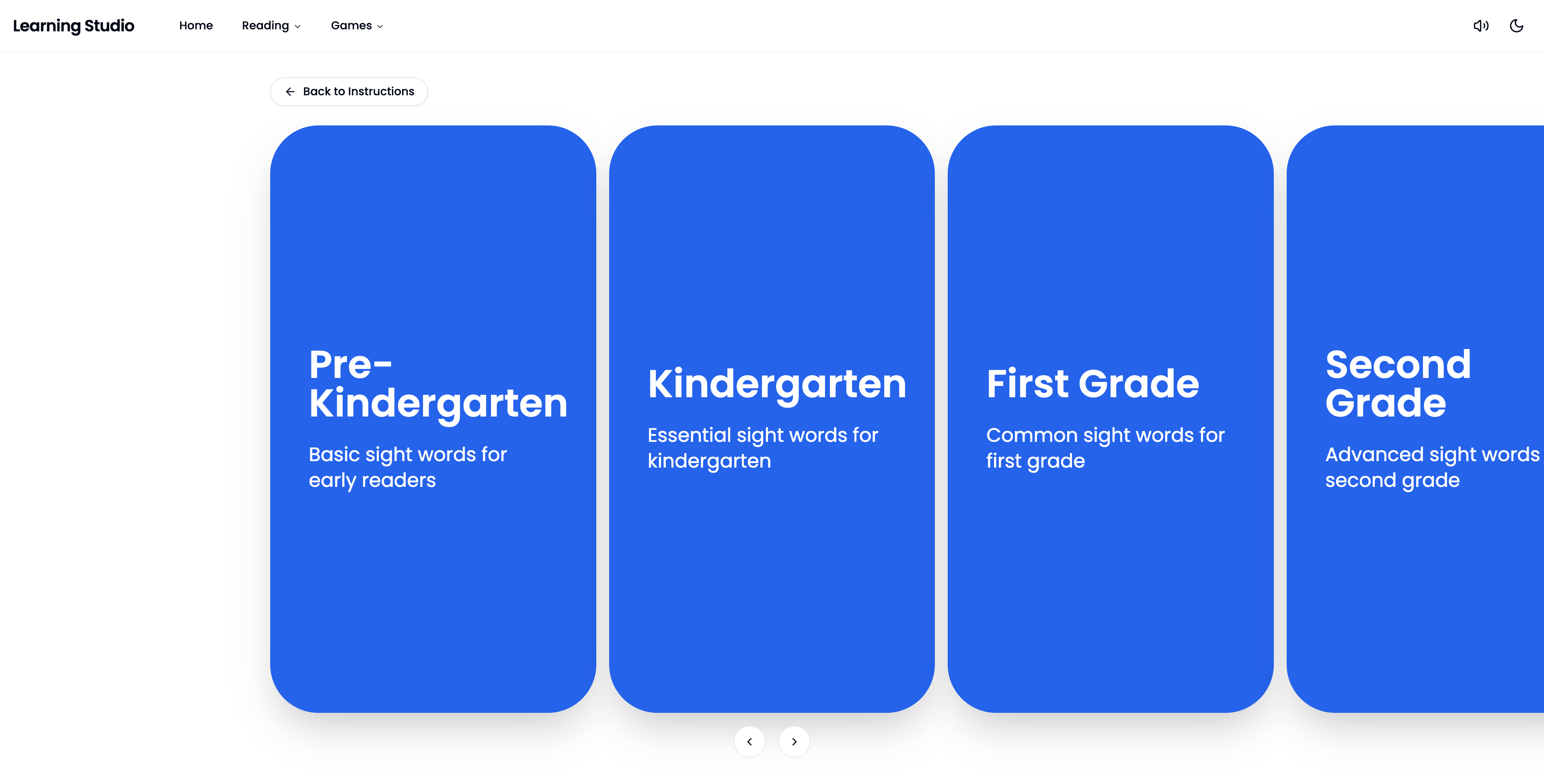
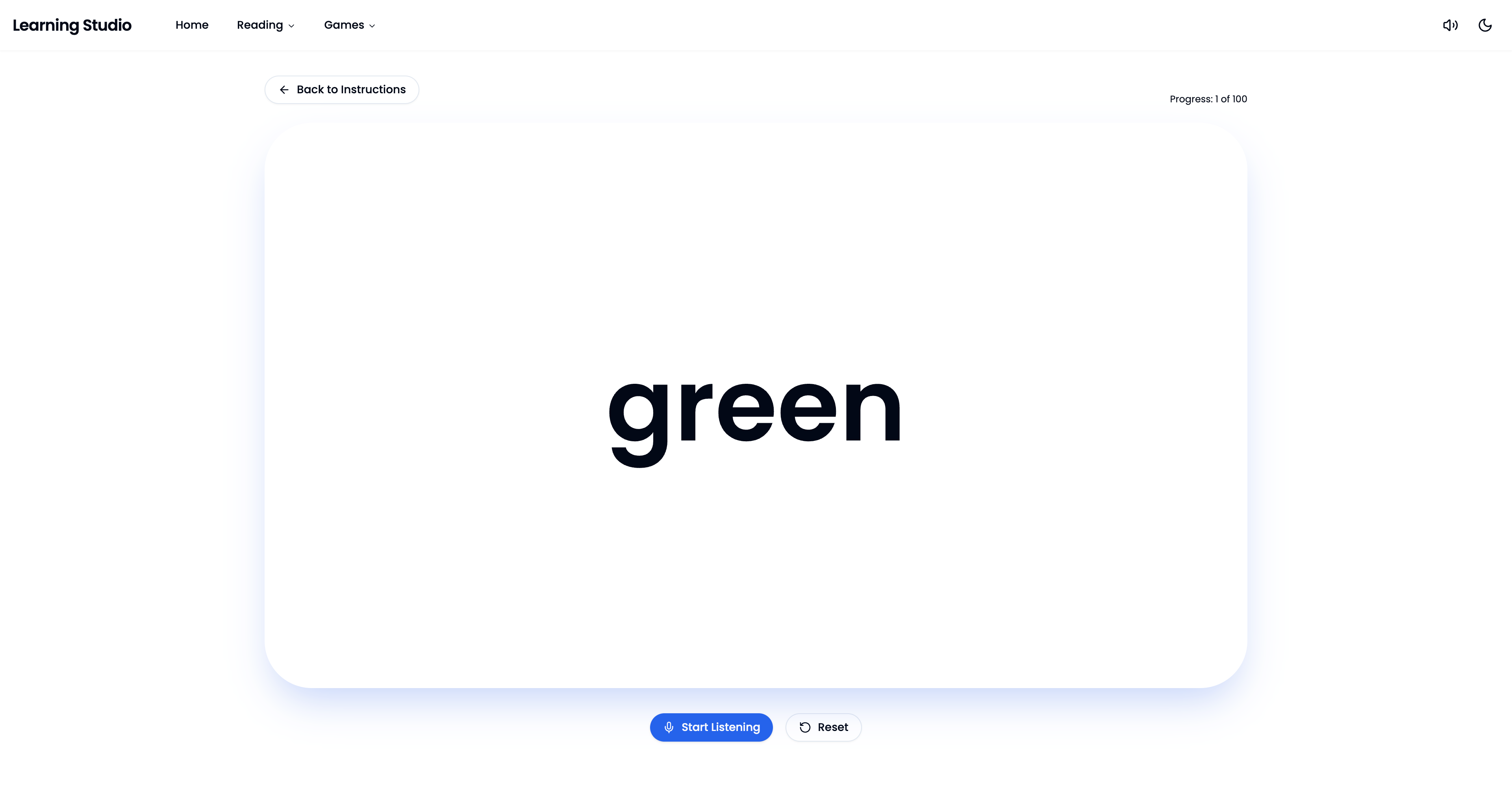
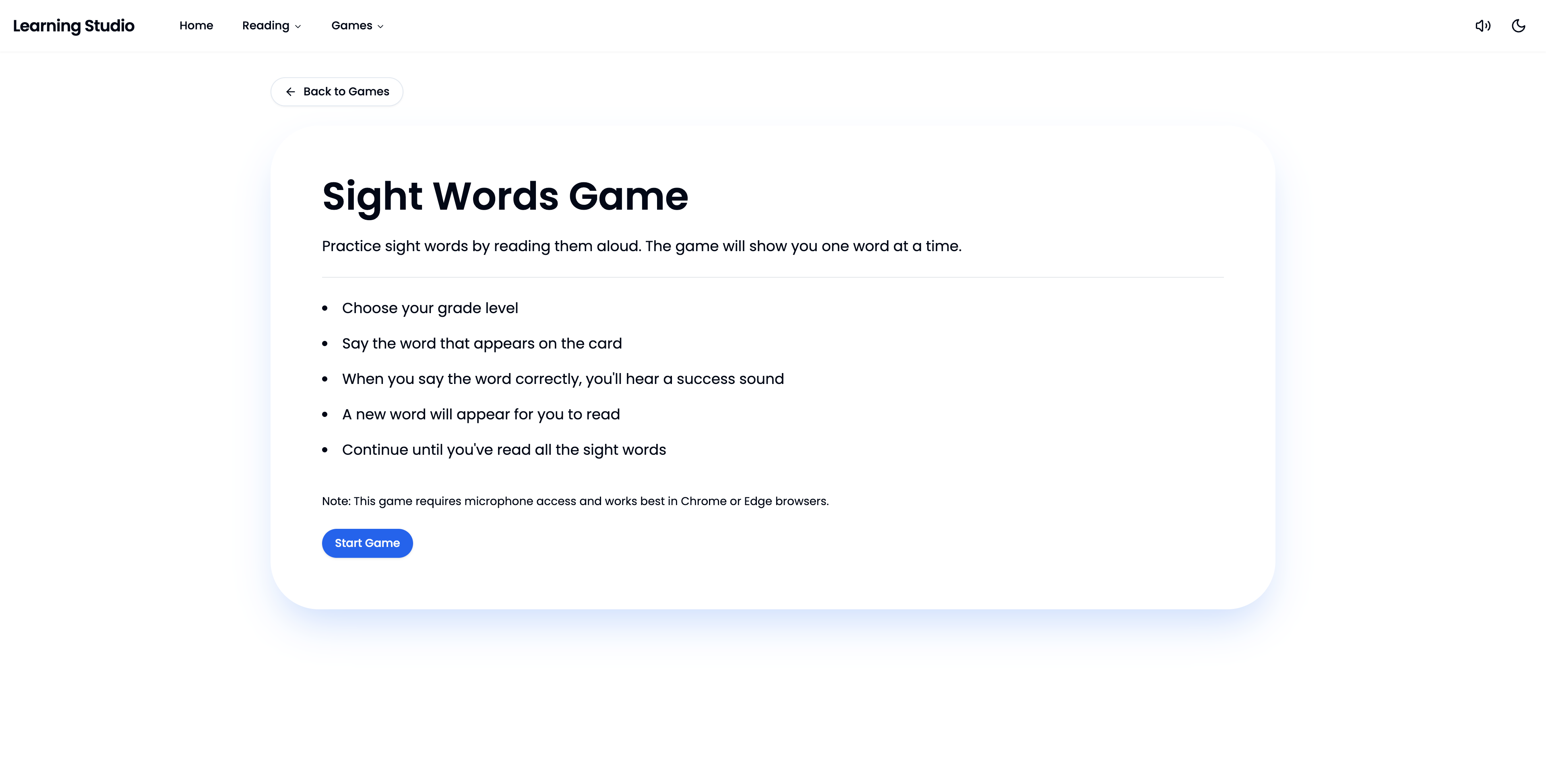
- Sight Words: Grade-level appropriate sight word practice with speech recognition
- Alphabet Letters: Letter recognition and pronunciation practice
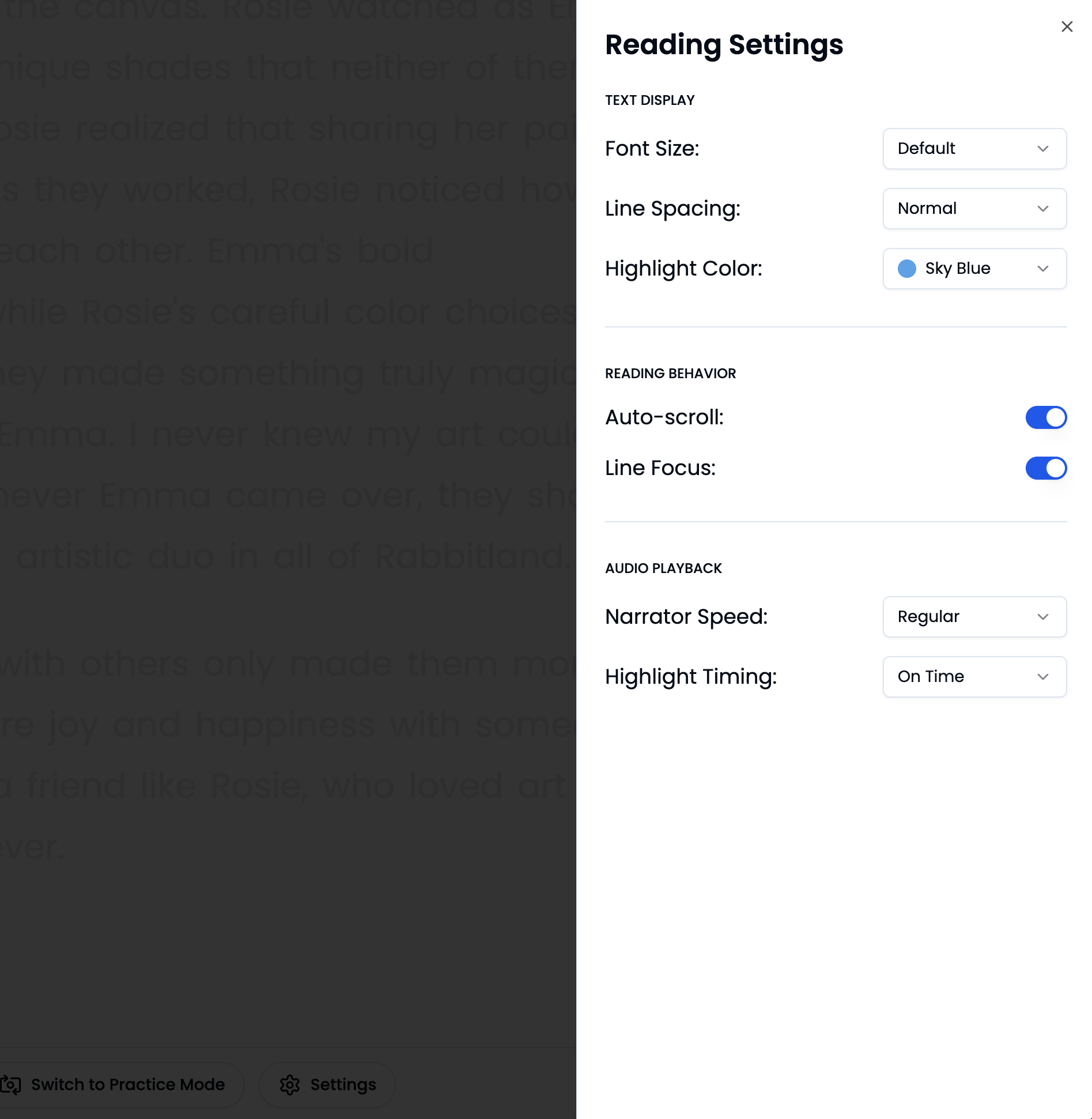
Customizable Experience - Extensive reading settings allow users to adjust font size, line spacing, highlight colors, playback speed, and highlight timing to accommodate different learning needs and preferences.
Tech Stack
The application is built using modern web technologies including React with TypeScript, Tailwind CSS for styling, and various web APIs for audio and speech recognition. The project leverages AI-assisted development tools like Cursor to accelerate development and enable rapid prototyping, allowing for quick iteration based on real-world testing with my children.
My Contribution
As the sole developer and designer, I was responsible for every aspect of the application from concept to deployment. The project began with a personal need—creating a tool to help my own children practice reading. This real-world use case provided immediate feedback and allowed me to iterate quickly based on actual user testing.
I leveraged AI-assisted development with Cursor throughout the process, which enabled rapid prototyping and helped me explore different technical approaches efficiently. This allowed me to focus on the user experience and educational value rather than getting bogged down in implementation details.
I designed the user experience with a focus on simplicity and engagement, prioritizing ease of use for young learners. The implementation involved solving various technical challenges including synchronized audio-text highlighting, dynamic text layout, speech recognition handling, and performance optimization. The application features smooth animations, responsive design, and comprehensive accessibility considerations.
Application Interface
Design Choices
Visual Design
- Large, rounded corners (60px border radius) create a friendly, approachable aesthetic
- Generous spacing and large touch targets accommodate young users
- High contrast color schemes ensure readability
- Customizable highlight colors allow personalization
Interaction Design
- Carousel-based navigation for game and story selection provides visual engagement
- Smooth page transitions maintain context and reduce cognitive load
- Fixed bottom control bar ensures controls are always accessible
- Visual feedback through animations and sound effects reinforces user actions
Reading Experience
- Word-by-word highlighting synchronized with audio creates a karaoke-like experience
- Line focus mode dims non-active lines to reduce visual clutter
- Auto-scroll keeps the current word centered in view
- Adjustable playback speed and highlight timing accommodate different reading speeds
Accessibility
- Semantic HTML structure
- Keyboard navigation support
- Screen reader considerations
- Customizable text size and spacing
- High contrast highlight options
AI Integration
Story Generation The application features AI-generated stories with rich metadata including:
- Character-driven narratives (e.g., “Nika’s Adventure”, “Rosie’s Art Studio”)
- Age-appropriate content (7+ years)
- Thematic categorization (exploration, creativity, nature)
- Word count tracking for difficulty assessment
Voice Synthesis
- AI-generated text-to-speech voiceovers for all stories
- Natural-sounding narration with proper pacing
- Synchronized audio that aligns with text for precise highlighting
The AI-generated content allows for rapid expansion of the story library without manual voice recording or transcription, making the platform scalable and cost-effective.
Key Features
Story Player
- Synchronized word-by-word highlighting during audio playback
- Adjustable playback speed (0.75x, 0.9x, 1.0x)
- Highlight timing offset for perfect synchronization
- Play, pause, and restart controls
- Library navigation for story selection
Practice Mode
- Real-time speech recognition
- Word-by-word progress tracking
- Visual feedback for recognized words
- Automatic advancement through text
- Reset functionality for repeated practice
Reading Settings
- Font size: Default, Large, XLarge
- Line spacing: Normal, Relaxed, Loose
- Highlight color: Yellow, Light Pink, Light Green, Sky Blue, Plum
- Highlight style: Background or Underline
- Auto-scroll toggle
- Line focus mode
- Playback speed control
- Highlight timing adjustment
Interactive Games
- Flip Cards: Memory matching with letters, numbers, and shapes
- Sight Words: Grade-level practice (Pre-K through Grade 3)
- Alphabet Letters: Letter recognition and pronunciation
Sound System
- Contextual sound effects for user interactions
- Success sounds for game achievements
- Toggleable sound preferences
- LocalStorage persistence
Interactive Games
Technical Challenges & Solutions
The development process involved addressing several technical challenges to create a smooth, responsive user experience. Key areas of focus included:
-
Audio-Text Synchronization: Implementing precise timing to match word highlighting with audio playback, accounting for variable playback speeds and processing delays.
-
Dynamic Layout: Creating a responsive text layout system that adapts to different screen sizes and font settings while maintaining readability.
-
Speech Recognition: Handling the inherent variability of speech recognition APIs, including error recovery and alternative word matching for better accuracy.
-
State Management: Coordinating multiple systems including audio playback, speech recognition, and UI state to create a cohesive experience.
AI-assisted development with Cursor was instrumental in exploring different approaches to these challenges and finding efficient solutions.
Results
Reading Tutor successfully provides an engaging, accessible platform for reading practice that combines modern web technologies with educational best practices. The application has been deployed and is accessible to users, providing:
- Engaging Learning Experience: Interactive stories and games keep young learners motivated
- Personalized Settings: Extensive customization options accommodate different learning needs
- Real-time Feedback: Speech recognition provides immediate feedback on reading accuracy
- Scalable Content: AI-generated stories allow for easy expansion of the library
- Cross-platform Compatibility: Works on desktop, tablet, and mobile devices
- Offline Capability: Static site generation allows for offline use after initial load
The application demonstrates how modern web technologies can be leveraged to create educational tools that are both powerful and accessible, opening up new possibilities for interactive learning experiences.
Technical Highlights
The application emphasizes performance, code quality, and user experience. Key technical considerations include efficient data structures for real-time operations, responsive design patterns, and careful state management. The codebase follows modern best practices with TypeScript for type safety, modular architecture, and comprehensive error handling. The user experience features smooth animations, responsive design across all devices, and persistent user preferences.